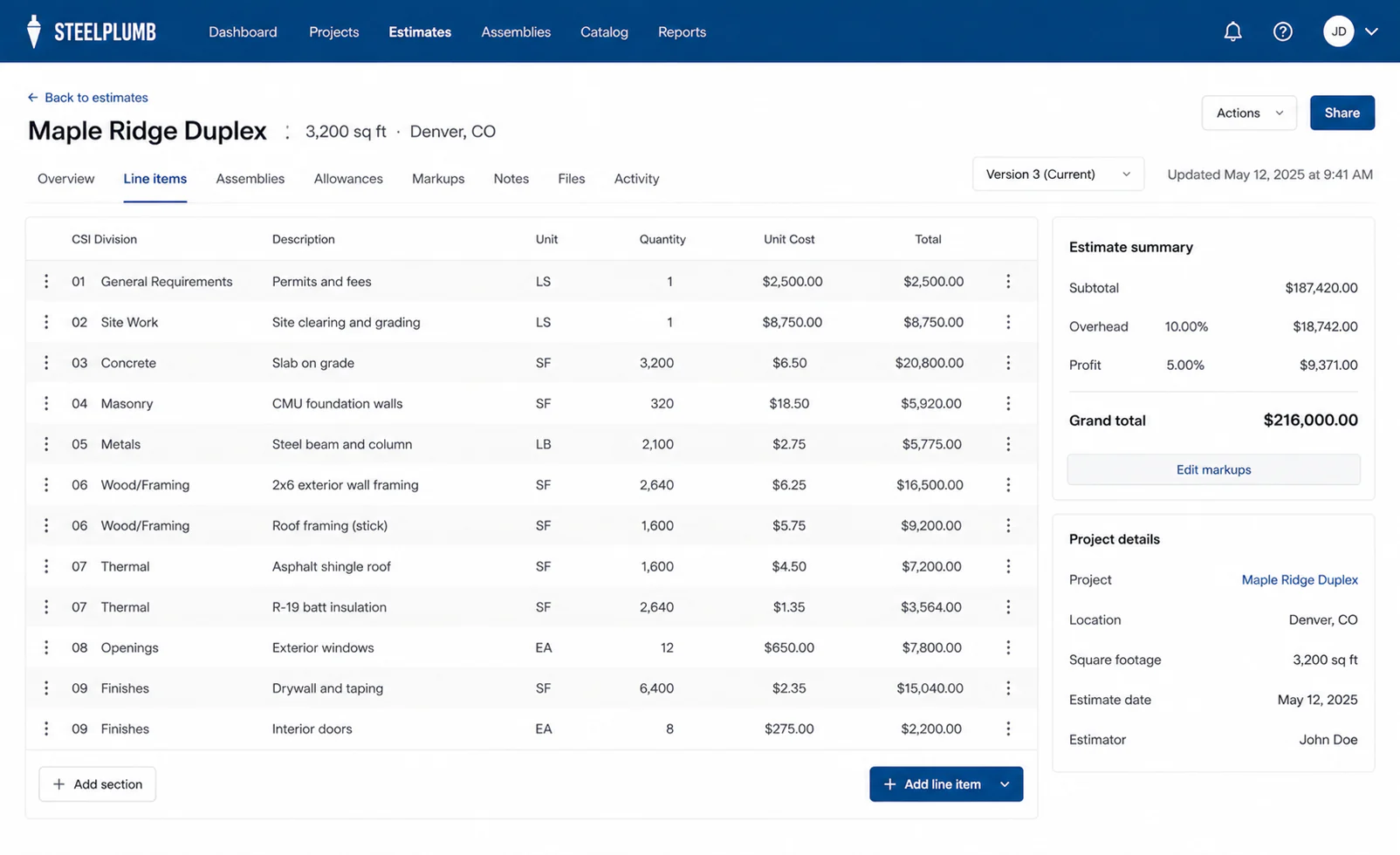
Build the estimate
Spreadsheet speed, without the spreadsheet handoffs.
Edit quantities, units, and costs inline, then roll overhead and profit into a clear total your team can review.
Bid with confidence, track actual costs, and keep the office and field on the same numbers, with the Excel export your accountant expects and a bilingual crew app built in.
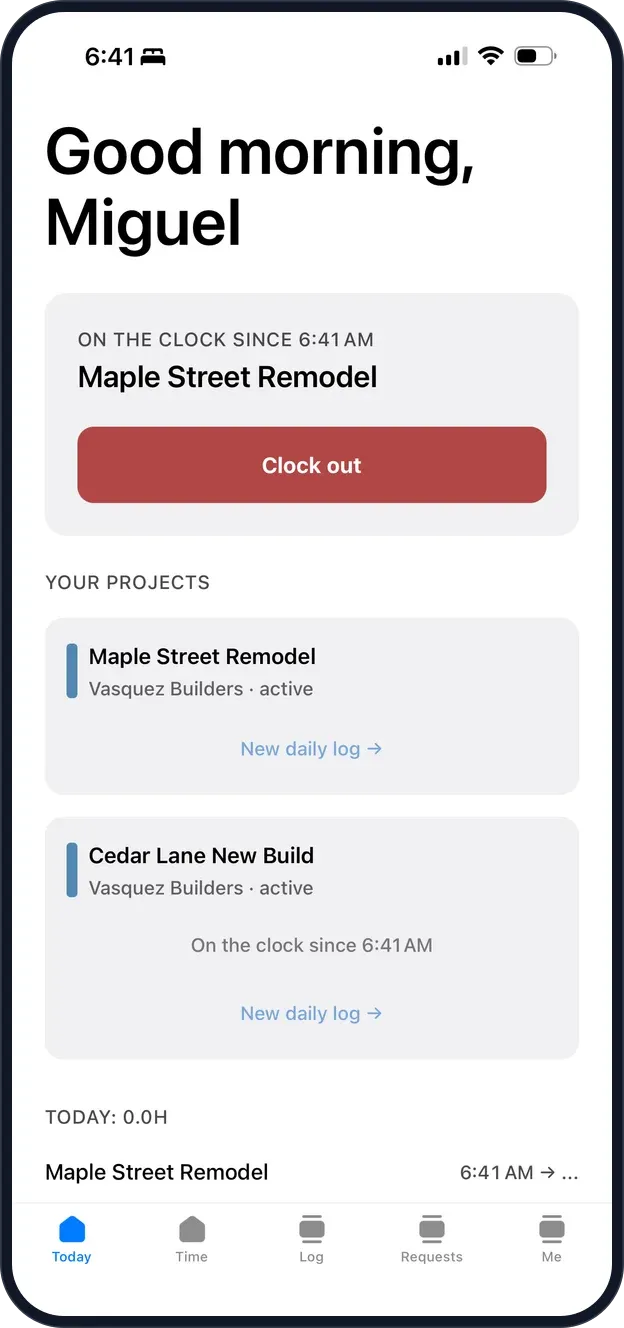
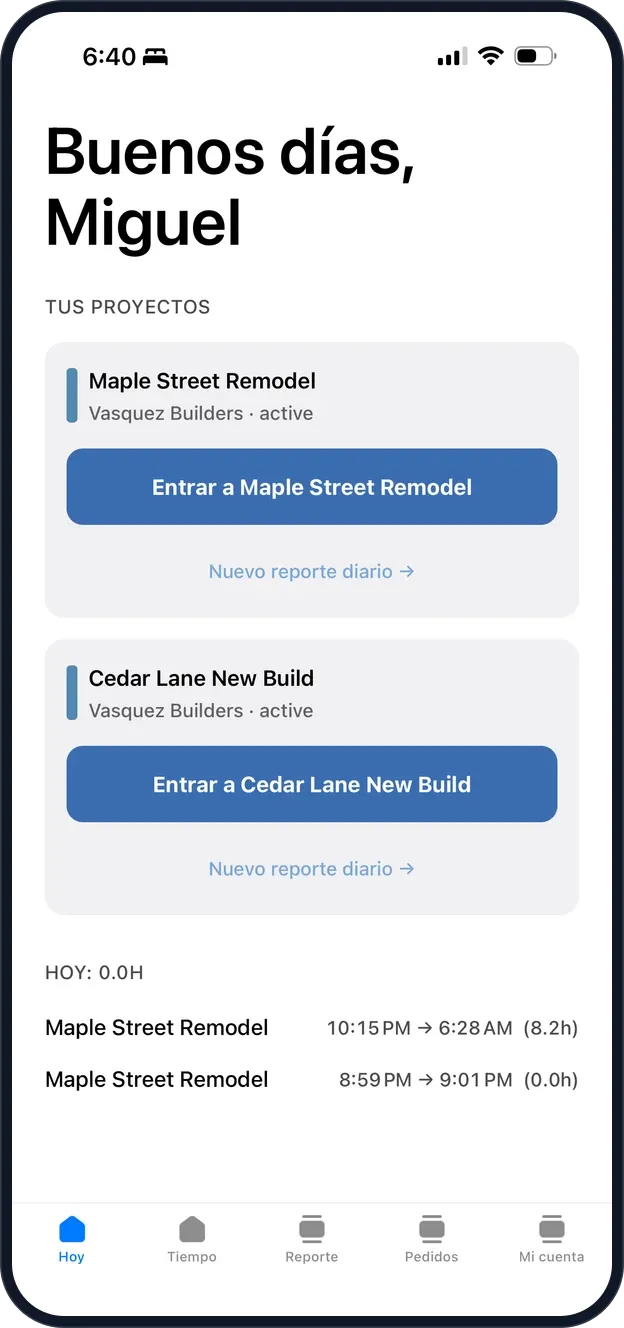
Clock in
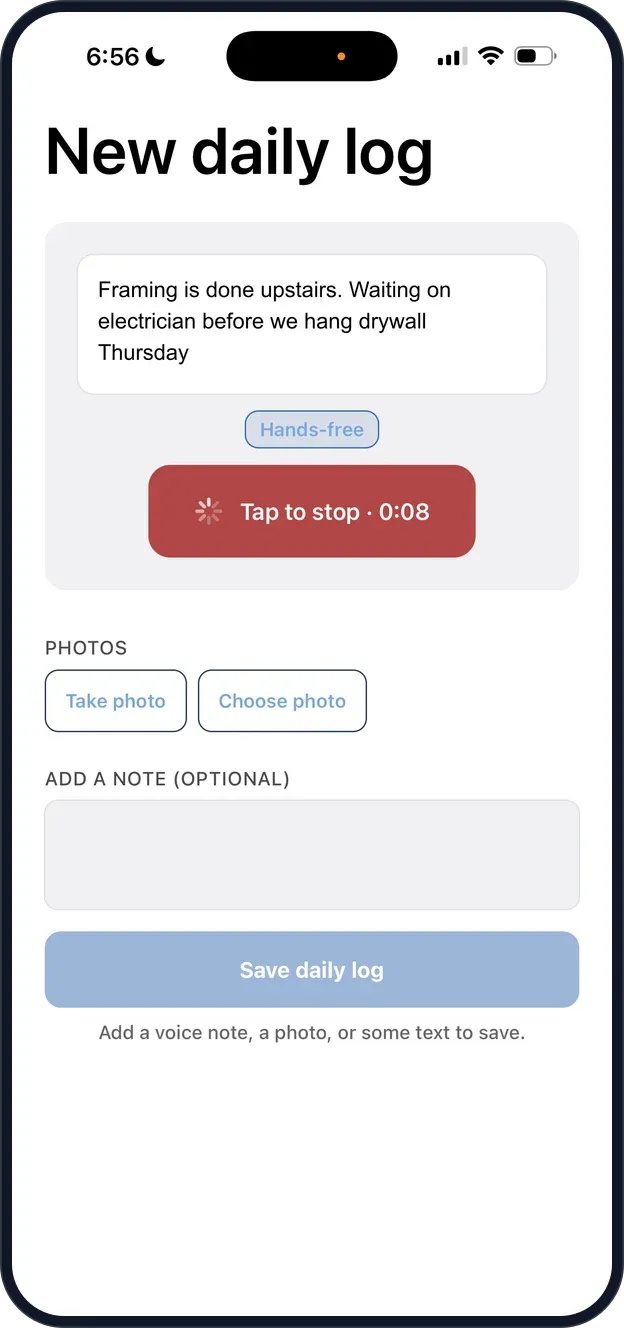
Log the day
Keep moving
The crew app, included with every plan


One source of truth
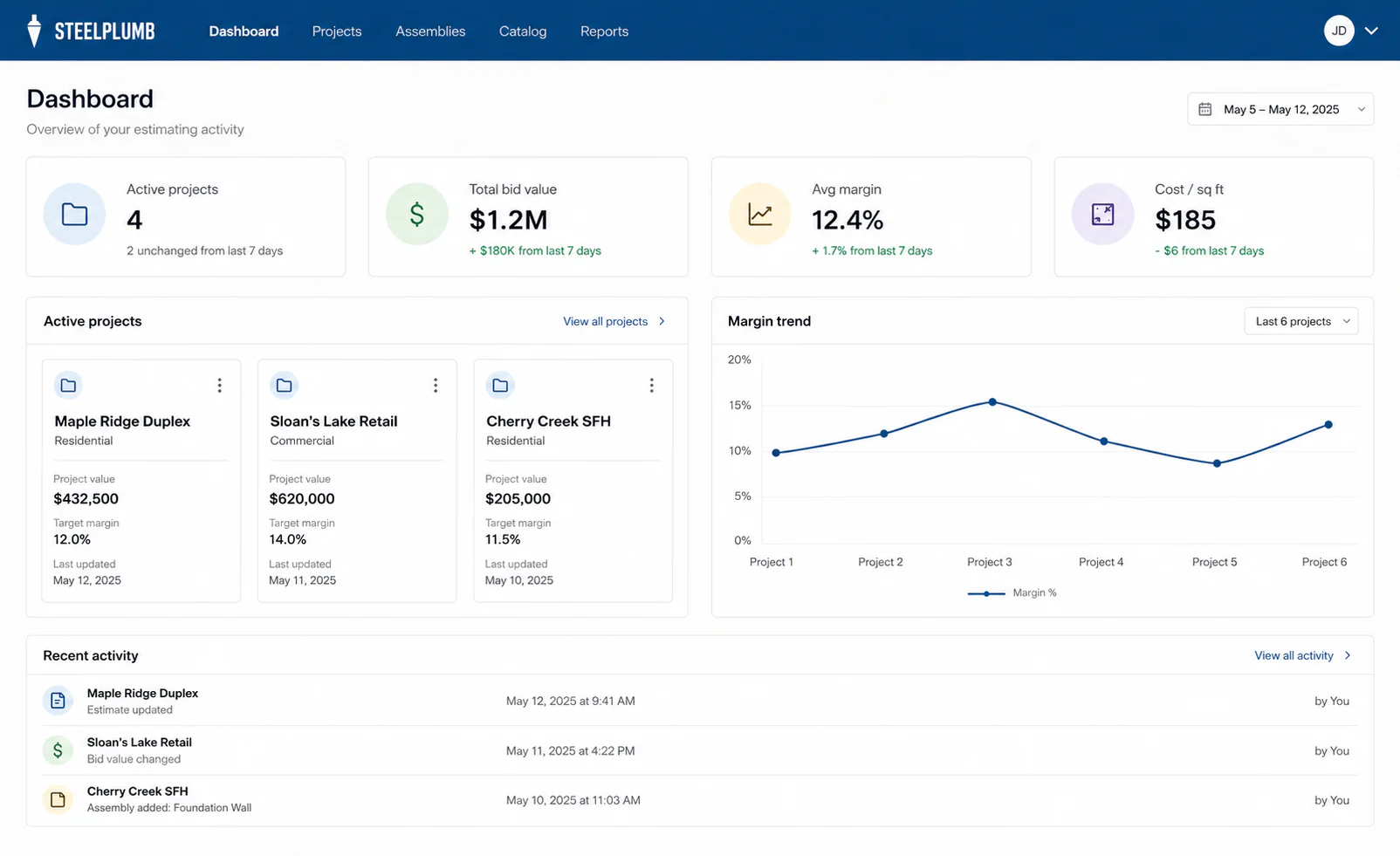
Steelplumb keeps the estimate, project activity, and margin view connected so the team works from the same job instead of passing versions back and forth.
Build the estimate
Edit quantities, units, and costs inline, then roll overhead and profit into a clear total your team can review.
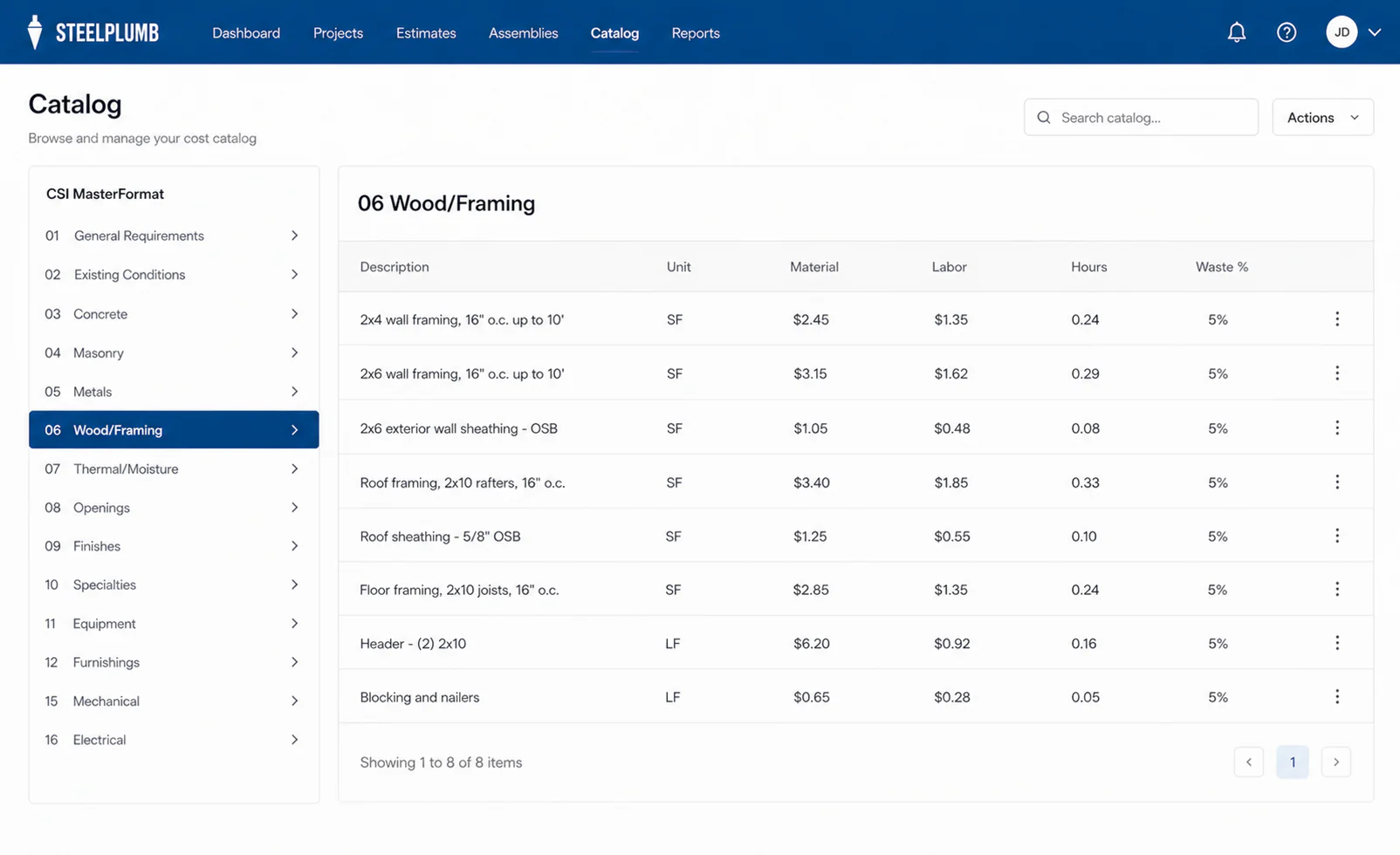
Reuse what you know
Start with 86 cost items across 15 CSI divisions, set costs for your market, and pull the same clean data into the next estimate.
Winning the bid is only the first checkpoint.
See how Steelplumb follows the cost after work begins.
After you win the bid
A good estimate is a prediction. Steelplumb keeps the original bid beside the costs coming in, so the owner and PM can see where the job is moving before the final invoice tells the story.
Compare what you planned, what you have promised to spend, and what has reached the books on each budget line.
Bills and expenses flow back to the job without a month-end CSV routine.
When an expense cannot be matched confidently, it waits for you to place it.
Get a useful signal when a line moves further off plan, not another notification on every sync.
Job Costing is available on Crew and GC for $50 per billable seat/month.
Sample project
Maple Ridge Duplex
+$1,240
$1,860 left
$2,760 left
On the jobsite
The Steelplumb crew app keeps the job simple: clock in, speak the daily log, add photos, and ask for material. The office gets clean project data without waiting for a Friday text thread.
Included with every plan
Grow past the handoffs
Steelplumb does not ask your accountant to abandon a trusted file. It gives the operating team a better place to build and run the job before that export is needed.
Future bids depend on someone remembering which cell or file to update.
Update the reusable catalog item once, then use that current cost in the next estimate.
The file gets copied, emailed, or opened with more access than the role needs.
Invite owners, estimators, PMs, viewers, and field crew with role-based access.
Someone stops to assemble a report from the latest versions.
Open the dashboard for active projects, bid value, and margin trends.
The estimate gets reformatted into another hand-built workbook.
Export the project to XLSX and hand off a format the accountant already uses.
Straightforward pricing
Each monthly plan includes a set number of owner, estimator, and PM seats. Field crew roles stay included, and there is no annual contract.
Includes 1 billable seat
For the owner-operator putting the first reliable system in place.
Includes 5 billable seats
For the estimator, PM, and owner running work together.
Includes 15 billable seats
For a larger operating team that needs room and brand control.
Track committed and incurred cost against the bid and sync expenses from QuickBooks Online. $50 per billable seat each month, with a trial before activation.
Need more office seats? Additional billable seats are $25/month each. Taxes, if applicable, are calculated at checkout.
Build from one reliable number
Start with the estimate, keep it connected to the field, and know where the job stands before month-end.